Including Thermal Influence on Ωtheor
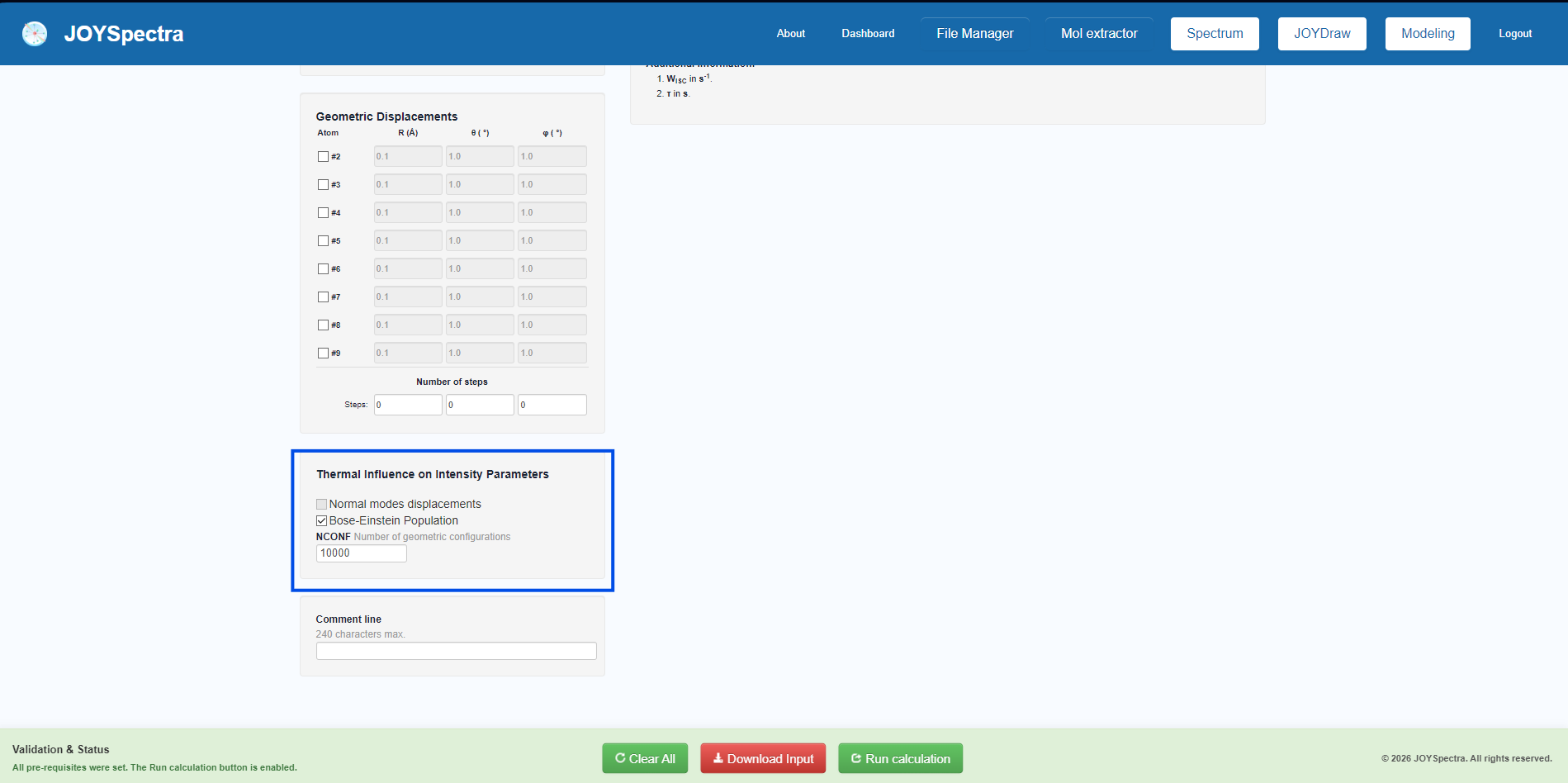
Step 1: In the "Modeling" tab, after loading the desired file, access the "Thermal Influence on Intensity Parameters" section at the bottom. Check the "Bose-Einstein Population" checkbox and enter the desired number of geometric configurations in the NCONF field (e.g., 10000).
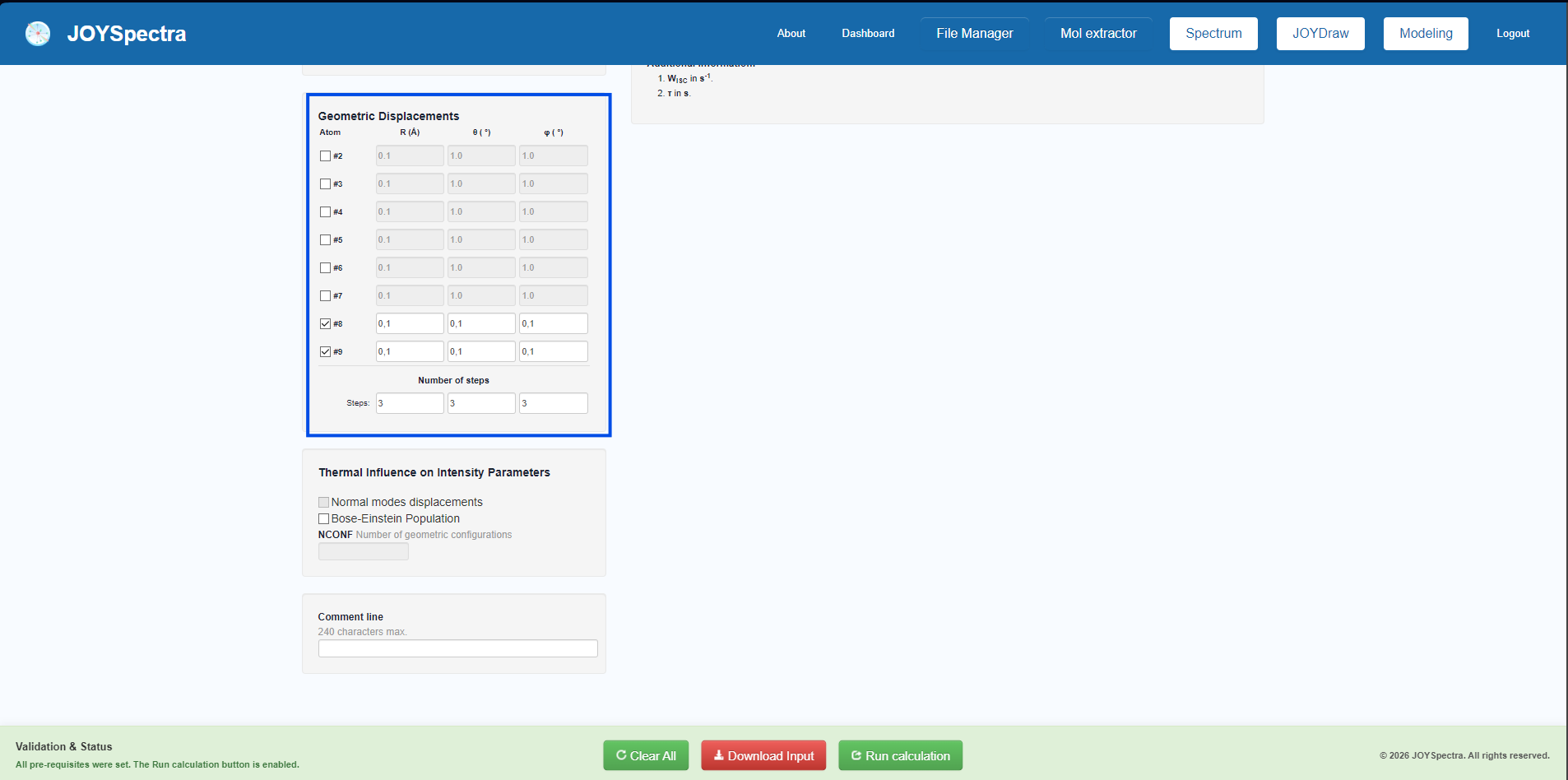
Step 2: In the "Geometric Displacements" panel, check the boxes for the atoms whose coordinates will be displaced. Then, fill in the radial R (Å) and angular (θ, φ) displacement parameters, and set the desired amount of steps in the "Number of steps" field.
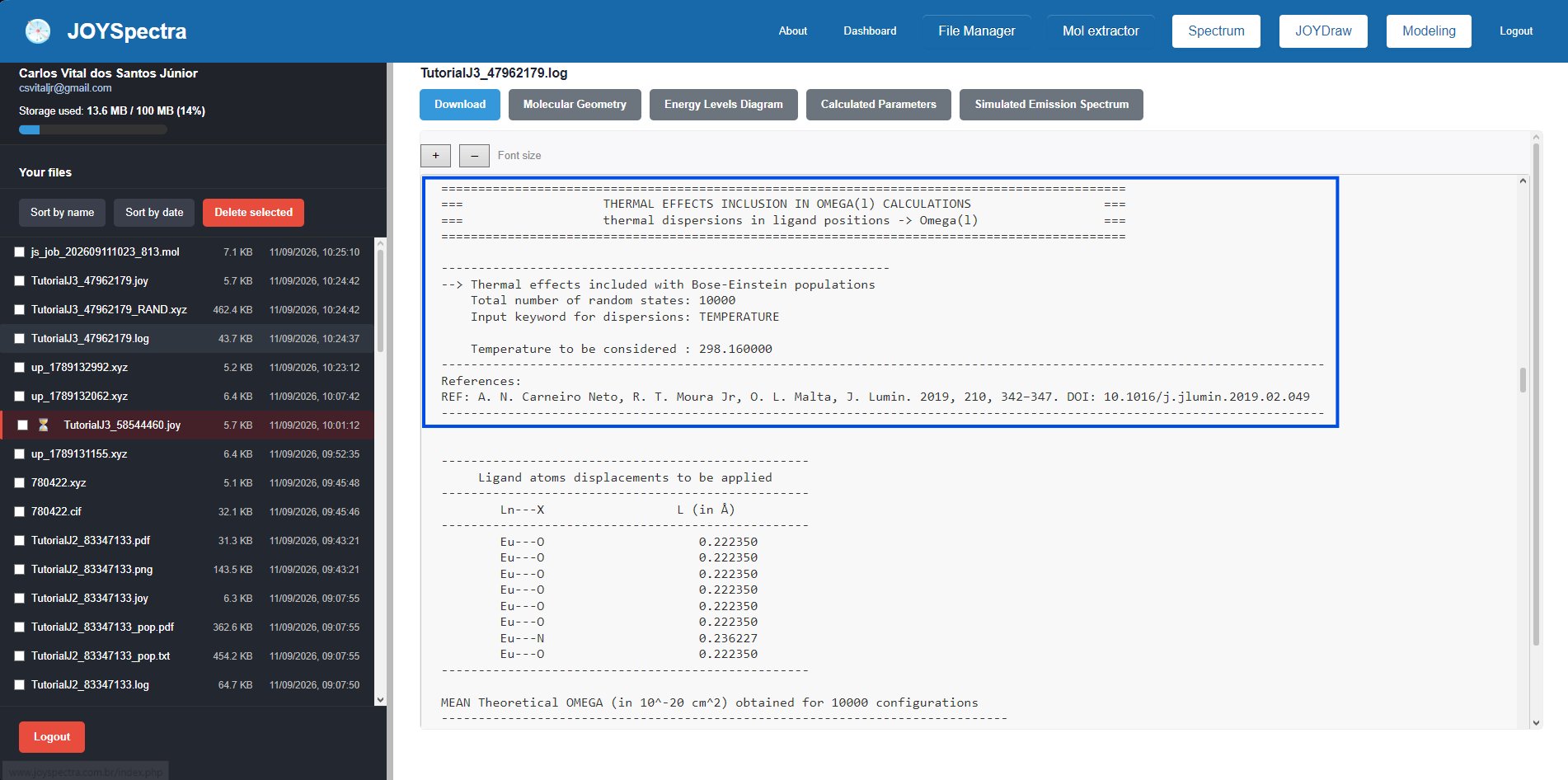
Step 3: After execution, access the File Manager and open the corresponding .log file. In the results section, check the "THERMAL EFFECTS INCLUSION IN OMEGA CALCULATIONS" block to verify the inclusion of the thermal effect (Bose-Einstein population), the applied positional dispersions, and the new mean values obtained for Ωλ.
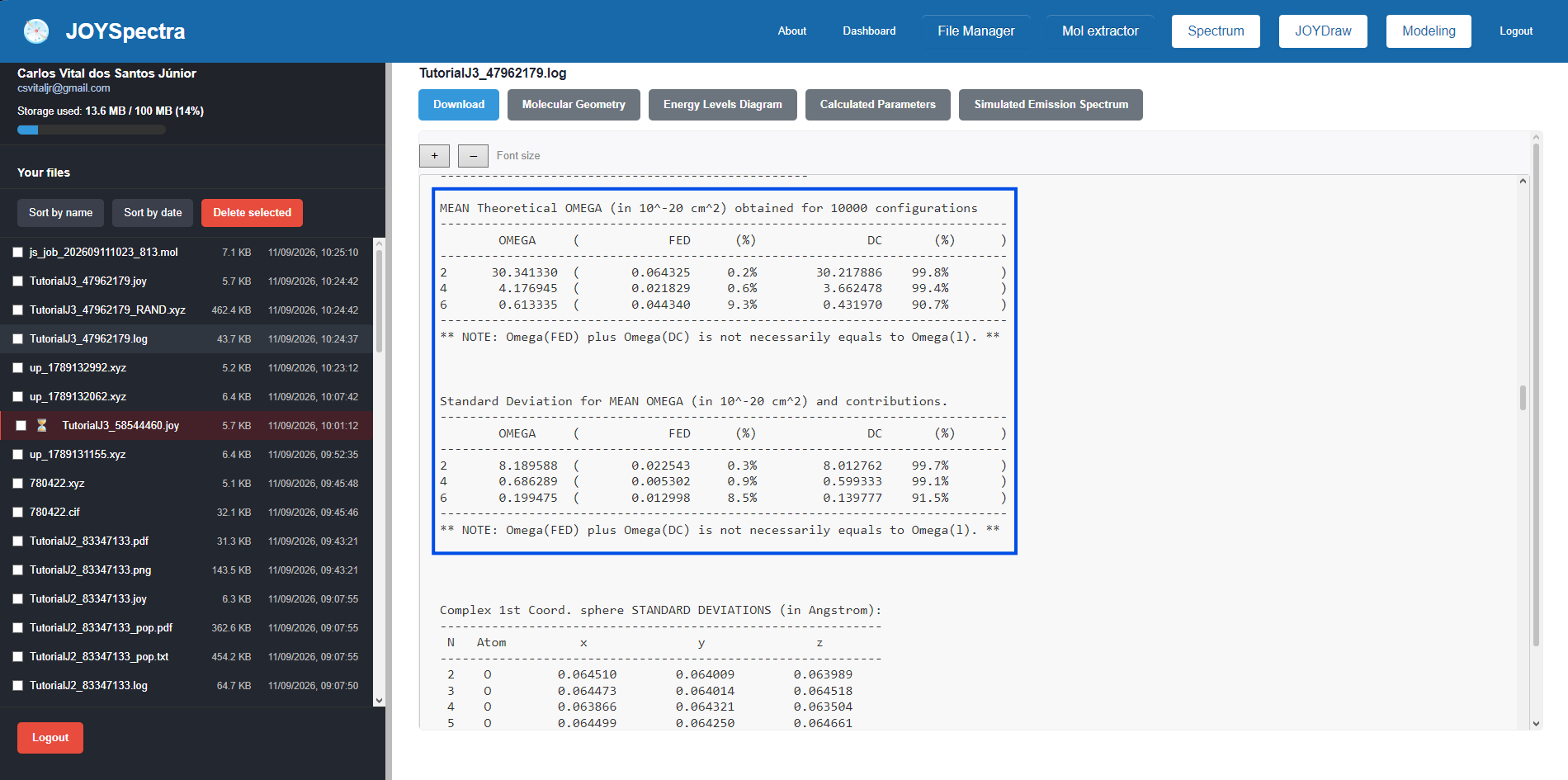
Step 4: In the same section of the .log file, analyze the "MEAN Theoretical OMEGA" table to obtain the average of the intensity parameters calculated over the generated configurations, along with the contributions of the FED and DC mechanisms, the standard deviation, and the coordinate deviation of the first coordination sphere.